

To get to know more about Abbiamo, please watch the following video (PT-BR):
Claim your credentialsIn order to properly start the integration process, you must have the following information:
- Your Login credentials on our Dashboard
- Your carrier API KEY safely kept
If you haven't yet, please reach out to our team at[email protected] to have your credentials set up. You must provide us the following information since you are going to be registered as a carrier as well as a seller:
- Pickup Address (where the store will be located at);
- Document number;
- Email of the users that you want to have access to the dashboard.
Integration for deliveries
The basic workflow to begin understanding the integration is shown below:
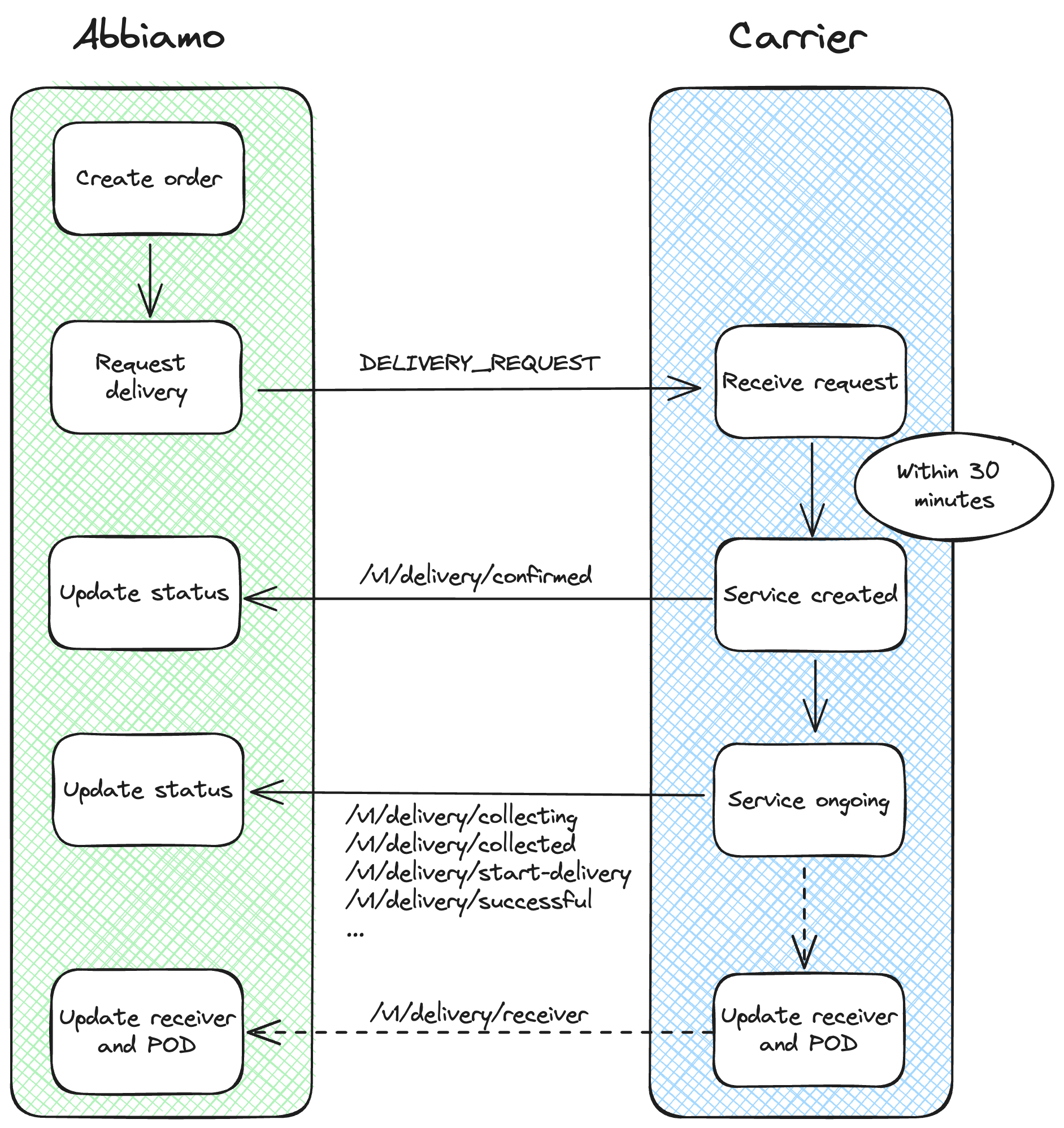
You should open an endpoint where the deliveries will be posted. Read more about how to receive events here
The DELIVERY_REQUEST payload can be found here. It is important to check both payloads - Full and Minimal - to guarantee you've checked for the specific fields requirements.
To update status we chose to make single endpoints for each one of them in order to have more control about the payload and required fields in each one of them. As for now, you can keep on going just filling up the delivery_id and event_at fields in the majority of the endpoints, but we advise to send as much information as you can since the retailers often ask for them
Integration for cancellations
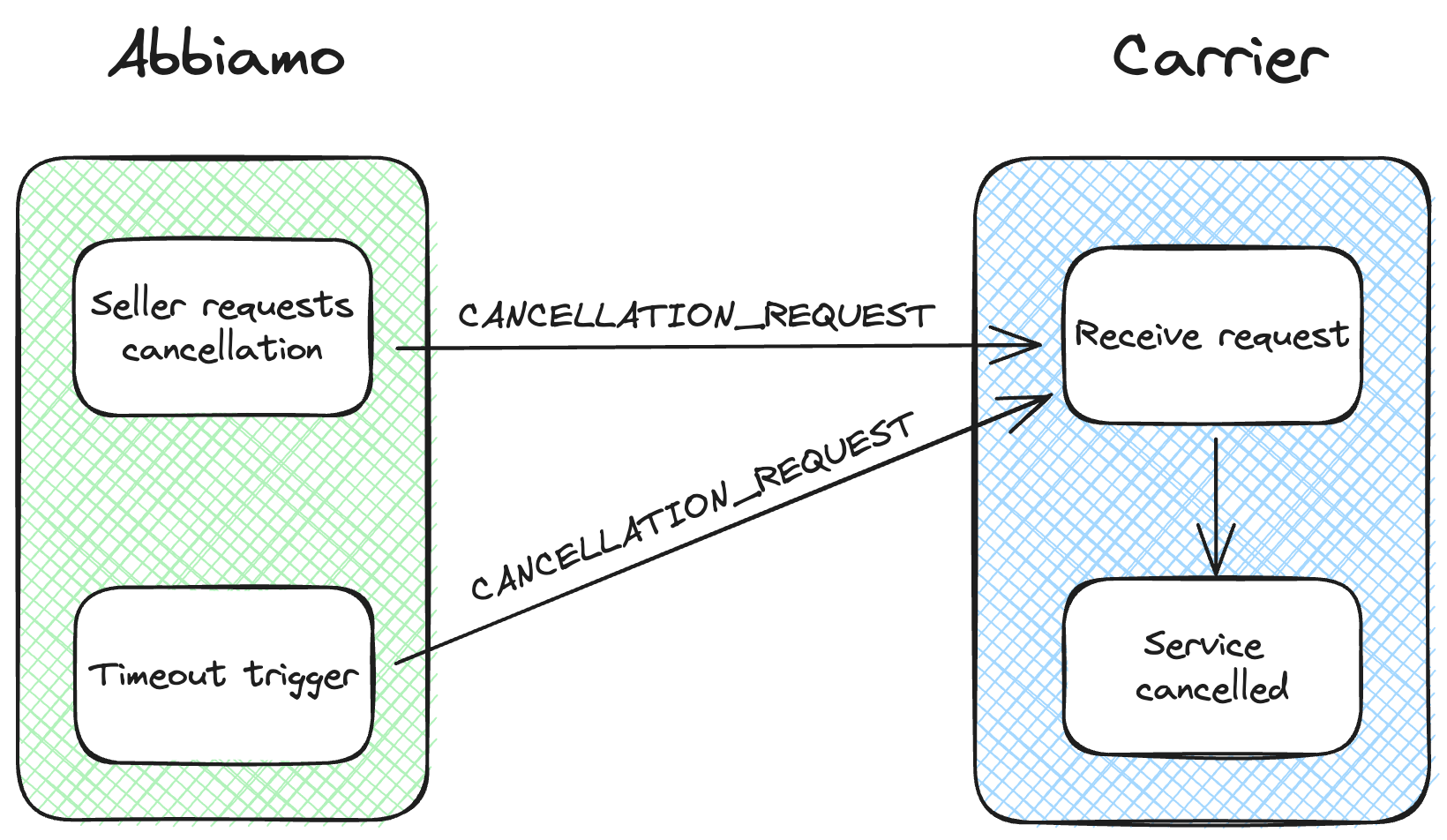
The CANCELLATION_REQUEST payload can be found here. It can be triggered either due to two of the situations below:
- The delivery hasn't been confirmed in the past 30 minutes (the time window it has to receive the first update)
- The seller triggered the action of cancellation. This action is personalized for the carrier for specific statuses