

Sending order to your system
Required InformationIn order to successfully send the order from the Dashboard to your system, you will have to provide the following information:
- A pickup address that is supported by your operation (stores and warehouses)
- URL that will receive POST requests from our system
In the dashboard, go to the vertical navigation bar on the right and click on the "Truck Logo"🚚. After that, click on "Request Pickup" as follows.
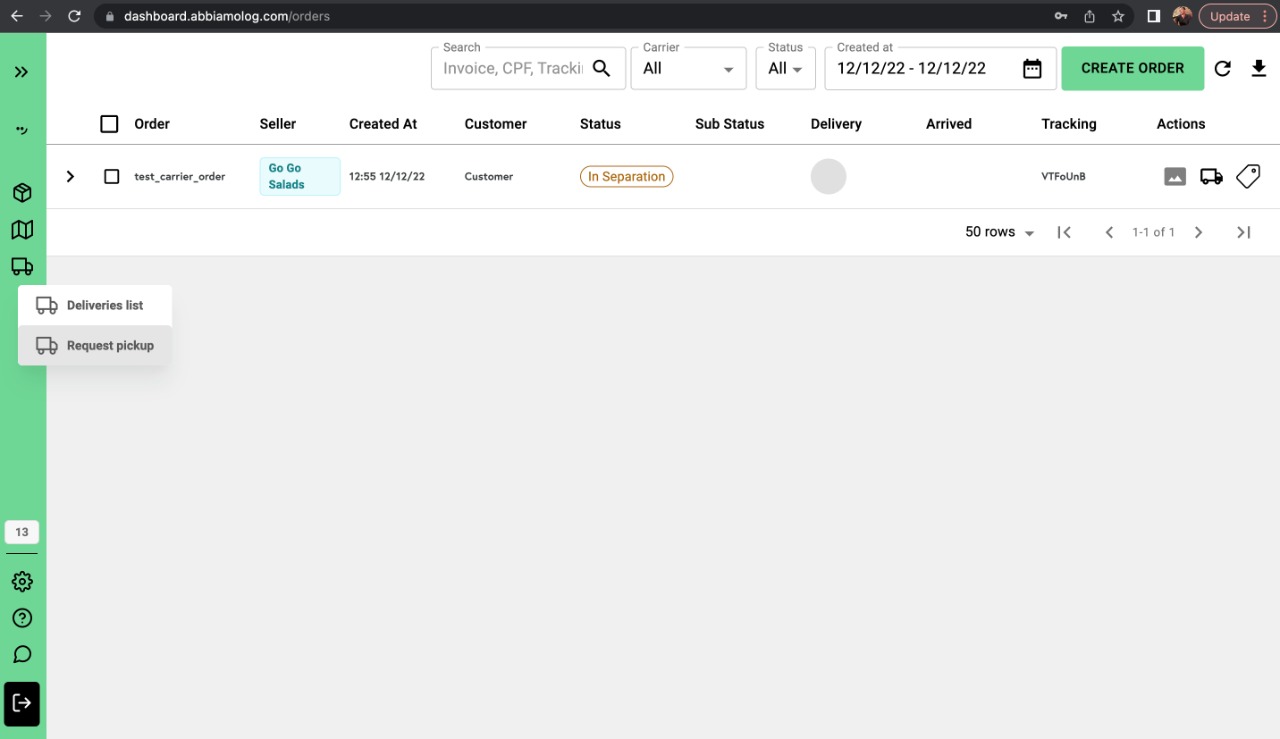
Once you click there, a side panel will be opened on the right side. Go ahead and select the seller, the carrier (your logo and carrier name must be displayed), the warehouse/store (pickup_address), and the orders that will be sent to your system.
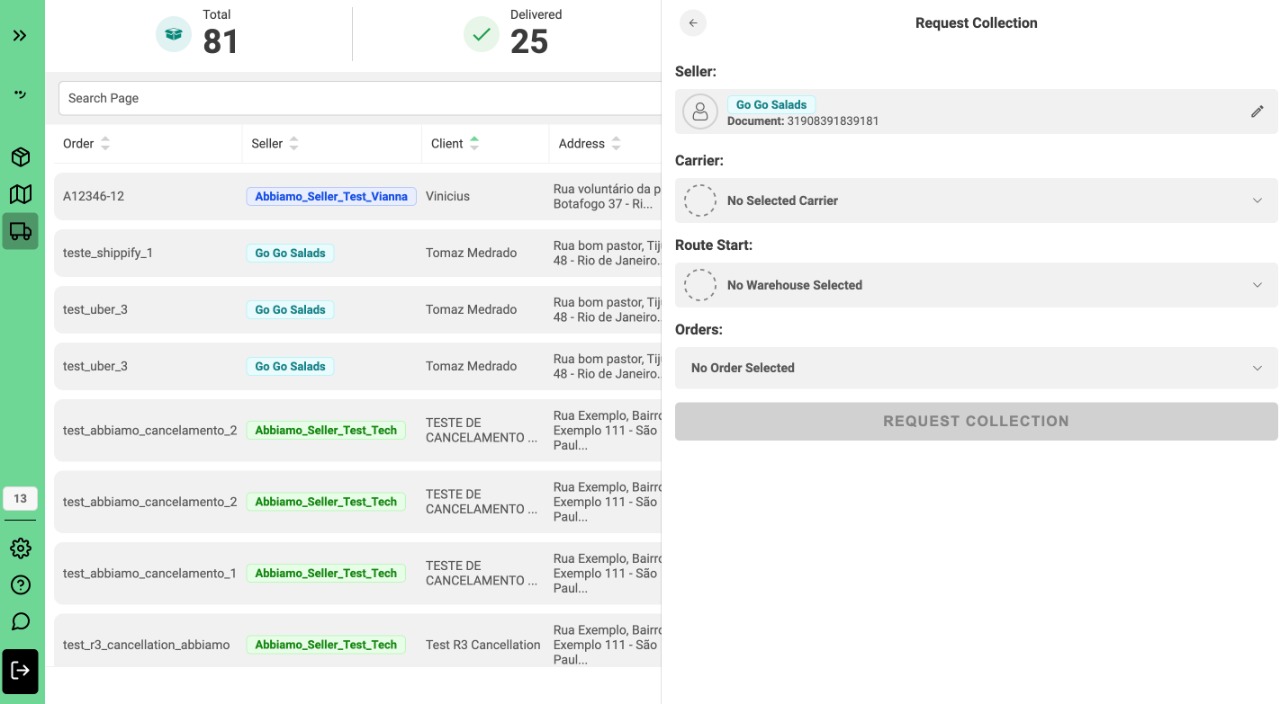
Once all the fields are completed and the "REQUEST COLLECTION" button is clicked, you should expect to have a POST request in the URL you provided to Abbiamo team as stated here.