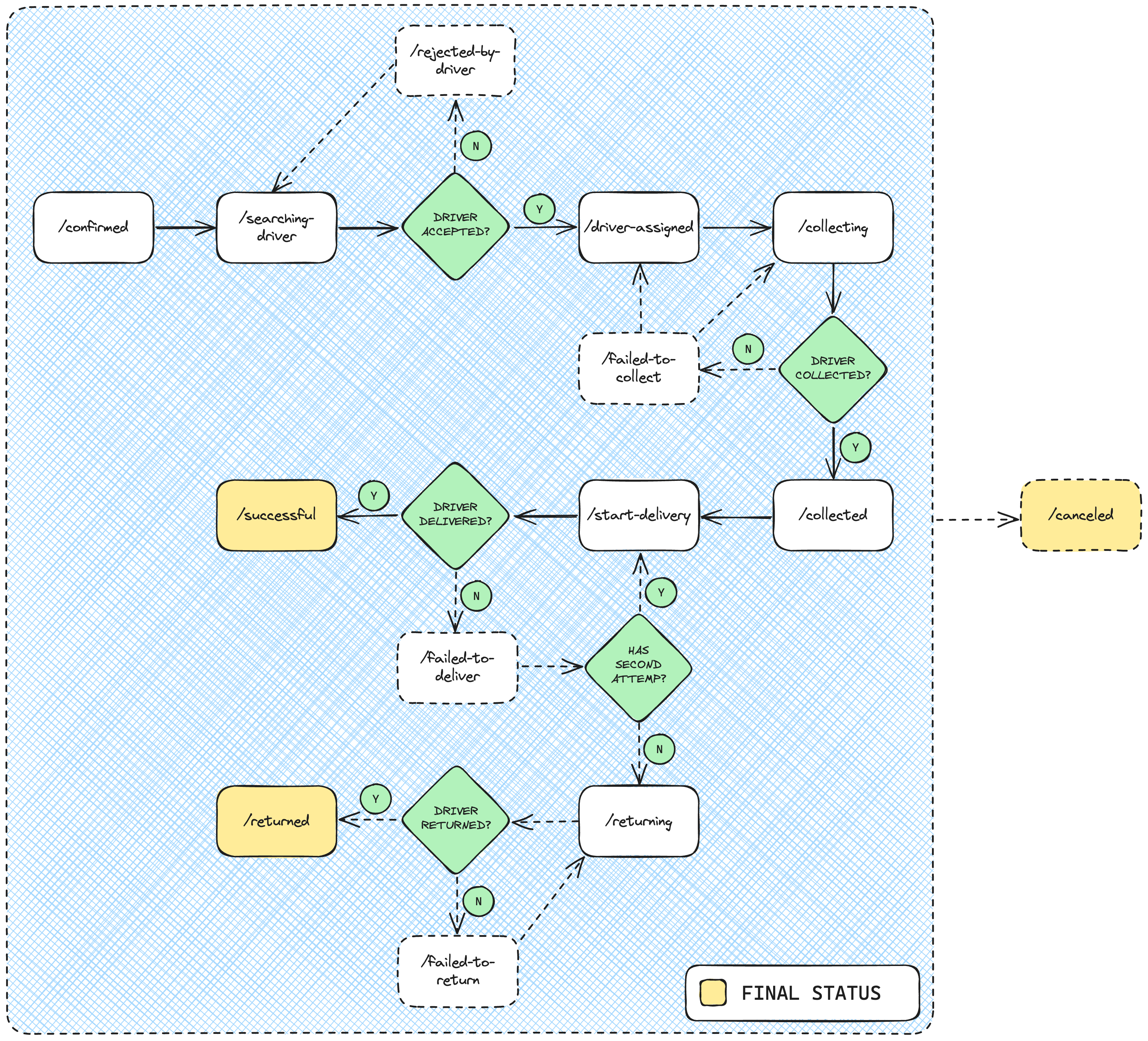
In this session you will understand more on how a delivery is supposed to be handled at Abbiamo.
After sending the order to your system, it will be in a PENDING status at Abbiamo. Therefore, the first action you should take is to confirm it using the endpoint we will provide in this documentation.
Abbiamo timeout system
If you haven't, please check our Timeout System. It is really important for you to keep in mind while integrating.
Carrier token is required
In order to change the order status, you must have the carrier token we provided and use it to authenticate the request in our endpoints.
Collection
To make it easier to try the endpoints we made a collection Abbiamo API
for Carrier Integrations that can be run in Postman.
The guide to use a collection can be found in the
Collections section. If you have already read the section or
are familiar with importing collections to Postman you can
copy the URL in the button below:
Status at Abbiamo
Since we know that setbacks happen, we will provide the ideal status flow and other side endpoints that you should use in case of any exception scenario.